
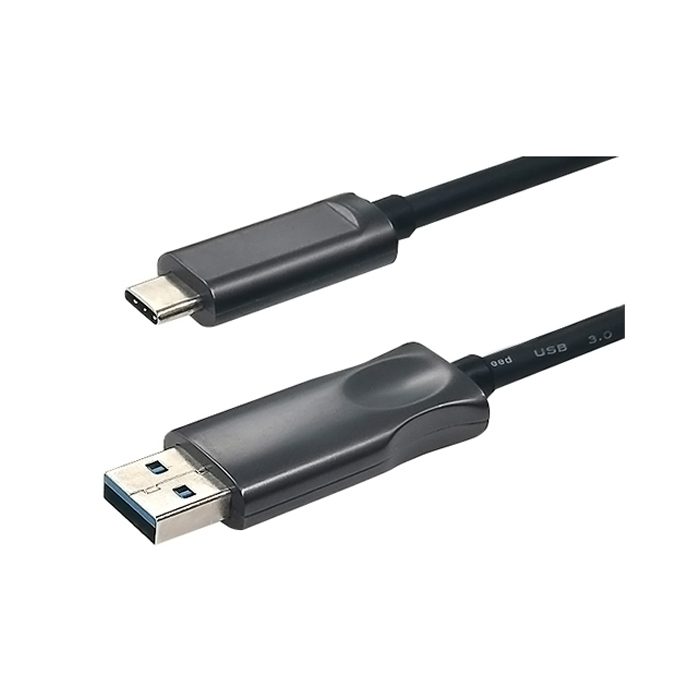
Description
OPTAV USB 3.2 Type A to Type C active optical cable is a professional hybrid fiber-copper active optical USB cord built to solve long-distance transmission limitations of traditional copper USB cables. Supporting full 10Gbps SuperSpeed bandwidth. This USB A to C AOC adopts optical fiber signal transmission to eliminate EMI/RFI electromagnetic interference, delivering stable lossless data transfer over extended lengths. It is widely used for conference PTZ cameras, industrial machine vision equipment, VR devices, touch screens and concealed in-wall engineering wiring projects.
Core Advantages of USB 3.2 Type A to Type C Active Optical Cable
1. Full USB3.2 Gen2 10Gbps SuperSpeed Bandwidth
This active optical cable fully complies with USB 3.2 Gen2 standard, supporting bidirectional stable 10Gbps high-speed data transmission. Backward compatible with USB3.1 Gen1, USB3.0, USB2.0 and USB1.1 devices, perfectly matching high-speed SSDs, 4K conference cameras, 3D scanners and VR headsets. No speed drop or data packet loss even for ultra-long distance wiring, far exceeding the 5-meter limit of passive copper USB cables.
2. Fiber Transmission Zero EMI & RFI Interference
Optical signal transmission completely isolates electromagnetic disturbance from power cabinets, servo motors, power lines and industrial equipment. This USB A to C AOC maintains error-free data output in factories, medical imaging rooms, broadcast control rooms and server rooms, making it the ideal wiring solution for sensitive machine vision inspection equipment.
3. Hybrid Fiber-Copper Plug-and-Play Design
Internal structure combines multimode optical fiber for high-speed data and thin copper conductors for 5V power supply. It draws power directly from the host Type-A port, no external power adapter or driver software required, hot-swappable for instant use. Slim flexible TPU outer jacket with built-in Kevlar tensile wire improves pull resistance during conduit installation.
4. Slim Flexible Cable for Concealed Conduit Wiring
Lightweight slim cable body with small bending radius, easy to pull through wall conduits, ceiling gaps and narrow cable trays for pre-installation engineering. Unidirectional design with clear Source (USB-A) / Device (USB-C) laser marking on two ends to avoid reverse plug-in failure. Zinc alloy integrated connectors with 24K gold-plated pins resist oxidation for long-term stable connection.
5. Wide Cross-Device Compatibility
Compatible with all Windows, macOS, Linux and Android systems. Supporting USB-A host computers to connect all Type-C peripherals. Such as PTZ conference cameras, industrial inspection cameras, external SSD storage, VR/AR equipment, interactive touch screens, barcode scanners and digital signage controllers.
Features
- USB 3.2 Gen 1 support.
- 5Gbps data rate.
- CL2/CL3 in-wall rating.
- Built with Cleerline SSF fiber optics.
- No power required.
- 5 mm bend radius.
Note: This cable does not support USB 2.0 or lower, it was built for USB 3.X signals. It does not support USB Alt modes, Thunderbolt, HDMI, and DisplayPort.
Specification
| Connector | USB Type-C(male)/USB Type-A(male) |
| USB Verion | USB 3.2 Genx1(5Gbps) |
| Color | Black |
| Length | 5-40M |
| Fiber | 850nm multi-mode fiber |
| Shell | 24K Gold Plating |
| Bending Radius | 5 mm |
| EMC | Low EMI meet CE/FCC requirement |
| Working Temperature | -10~50°C |
| Storage Temperature | -20~70°C |
| Power Consumption | 2W |
Main Application Scenarios for USB 3.2 A to C Active Optical Cable
This industrial-grade fiber USB extension cable covers commercial, education, industrial and AV engineering long-distance layout:
- Video conference rooms, PTZ cameras, remote classroom lecture equipment
- Factory machine vision, 3D scanning devices, automated inspection cameras
- VR/AR immersive equipment, gaming peripheral long-distance extension
- Exhibition touch screens, digital signage, remote monitoring equipment
- Indoor concealed wall wiring, server room hidden host layout


